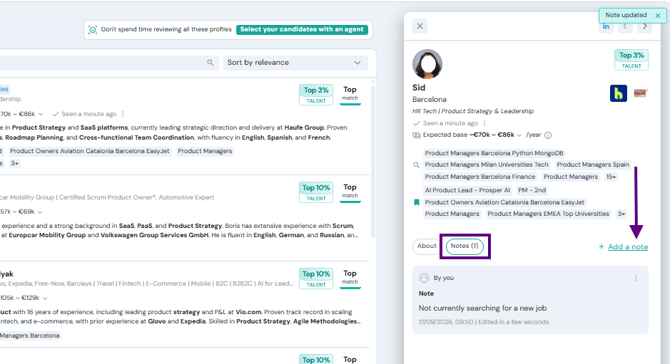
Notes on candidate profiles
You can now leave notes on any candidate directly from search results or your lists. Notes are shared with your entire team, so everyone stays in the loop — no more scattered context across emails or chats.
Each note shows the author's name and date. You can edit or delete your own notes at any time. A notes icon appears on the candidate row so you can instantly see which candidates already have team context, without opening their profile.
How to use it:
- Open any candidate profile from search results or a list.
- Click the Notes tab in the side panel.
- Write your note and save. Your teammates will see it immediately.
You can also filter candidates in your lists using "Only with notes" to focus on profiles that already have team input.