
If your team has been working in LinkedIn Recruiter, you can now bring everything over to Nova in one action. All your LinkedIn Recruiter Projects become lists inside Nova — each Project gets its own list with its original name, and all the candidates are included, with no limit on the number of profiles.
The import runs in the background. You'll receive an email when it's done. Each imported list shows an Imported badge and a Sync button that you can use later to pull in any new candidates added to that Project in LinkedIn.
Import Candidates from Linkedln Recruiter Projects
How to use it:
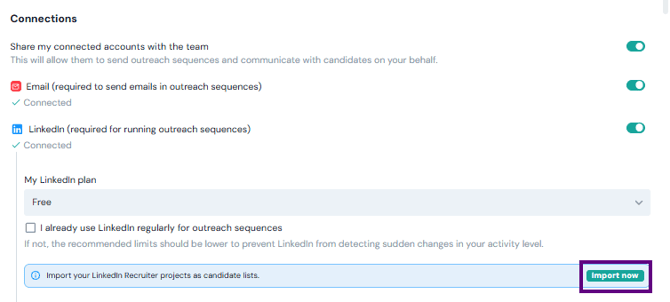
- Go to Lists or Settings → Connections.
- Find the LinkedIn Recruiter import option and click Import Projects.
- The import starts immediately in the background — you'll get an email when it's complete.
Notes Migration from Linkedln Recruiter
When you import your LinkedIn Recruiter Projects, the notes your team has written on those candidates come with them. Each note arrives in Nova with its original author name and date preserved.
If the author is a current Nova user, the note is attributed to their account. If they've left the team, their name is kept as plain text so the context is never lost.
Re-syncing an imported list in the future only adds new notes — it never overwrites or duplicates notes already in Nova.
Requirements: You need an active LinkedIn Recruiter or Recruiter Lite licence connected to your Nova account.